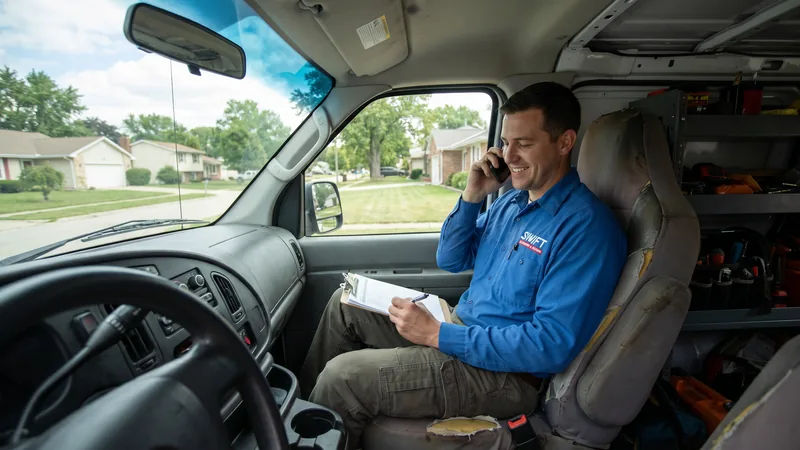
For most local service businesses: plumbers, roofers, HVAC companies, law firms, dentists: the phone call is the real conversion, not the form fill. Someone with a burst pipe or a broken AC unit doesn't want to wait for a callback; they want to talk to a person now. If your Google Ads account only tracks form submissions, it's blind to what's often 50-70% or more of your actual leads, and Smart Bidding is optimizing based on an incomplete picture of what's working.
This guide covers how call tracking actually works, how to set it up correctly in a Google Ads account, and how to turn call data into a genuine optimization advantage rather than just a reporting nice-to-have.
I bring this up with almost every new local-service client, and it's routinely the single most impactful diagnostic conversation in an onboarding call. Businesses are frequently surprised to learn just how much of their actual lead volume has been invisible to their ad account the whole time, not because the campaigns weren't generating calls, but because nobody had wired up the plumbing to actually see them.
Why Calls Matter More Than Forms for Local Services
Local service searches are frequently urgent and mobile. Someone searching "emergency plumber near me" at 9pm is looking for the fastest path to a human, and a phone number that's one tap away consistently outperforms a multi-field form in that context. Industry data across home services categories consistently shows calls converting to booked jobs at meaningfully higher rates than web form submissions, since a live conversation lets you qualify and book the job immediately rather than waiting on a follow-up.
Every tracked call starts on a page. When the page is the weak point, landing page optimisation for paid traffic is where the fix lives.
If your account isn't tracking calls as conversions, you're very likely undercounting your actual lead volume and, worse, letting Smart Bidding optimize toward form fills at the expense of the calls that make up the bulk of your real business.
The mismatch compounds over time in a specific, damaging way. If Smart Bidding only sees form fills as conversions, it will gradually shift budget and bidding aggression toward the keywords, audiences, and ad placements that generate form fills: even if those same channels generate very few actual phone calls, which may be where most of your real bookings are coming from. Over months, this can quietly steer an entire account's targeting away from what's actually working, purely because half the conversion picture was invisible to the algorithm making the decisions.
How Call Tracking Actually Works
Call tracking works through Dynamic Number Insertion (DNI), a script that swaps the phone number displayed on your website with a unique tracking number for each visitor session, based on how they arrived (which campaign, keyword, or even specific ad). When that visitor calls, the tracking platform logs the call, records it (with proper consent disclosure), and passes the data: including which ad and keyword triggered it - back to your analytics and ad platforms.
Google Ads also offers native call tracking through call extensions and call-only ads, using Google forwarding numbers to attribute calls directly within the platform without a third-party tool, though third-party platforms typically offer deeper call recording, transcription, and CRM integration.
An important distinction worth understanding clearly: Google's native call reporting only captures calls that originate directly from an ad, someone tapping the phone number shown on a call extension or call-only ad. It does not capture calls made after a visitor lands on your website and dials the number displayed there, unless you've separately implemented website-level call tracking via Dynamic Number Insertion. Many businesses assume enabling call reporting in Google Ads gives them complete call visibility, when in practice it's only capturing one of two distinct call paths.
Setting Up Call Tracking in Google Ads
- Enable call reporting on your Google Ads account, which uses Google forwarding numbers to track calls that come directly from ads (call extensions, call-only ad clicks).
- Set a minimum call duration for what counts as a conversion (commonly 60 seconds) to filter out accidental dials and immediate hang-ups from genuine inquiries.
- Add website call conversion tracking via Dynamic Number Insertion if you want to also capture calls initiated from a number displayed on your website rather than directly from the ad.
- Layer in a third-party call tracking platform (CallRail, CallTrackingMetrics, WhatConverts, among others) if you need call recording, keyword-level swap pools, or deeper CRM integration than Google's native tools provide.
- Set the call conversion as a primary conversion action in Google Ads once tracking is verified, so Smart Bidding actually optimizes toward generating calls, not just form fills.
Call Tracking Platforms Compared
| Platform Type | Best For | Trade-Off |
|---|---|---|
| Google Ads native call reporting | Simple setup, ads-only call tracking | No call recording or keyword-level website DNI |
| Dedicated call tracking platform (CallRail, WhatConverts, etc.) | Recording, transcription, keyword-level attribution, CRM sync | Additional monthly cost and setup time |
| CRM-integrated call tracking | Teams that need call outcomes tied directly to deal records | Requires more setup work to connect call events to CRM lead records reliably |
For most local service businesses running meaningful ad spend, a dedicated third-party platform pays for itself quickly: call recordings alone are invaluable for coaching front-desk staff and catching missed booking opportunities that would otherwise be invisible.
Pricing for dedicated platforms typically scales with the number of tracking numbers and call minutes rather than a flat fee, which makes them accessible even for smaller local businesses running modest ad budgets. Given how directly call quality connects to actual revenue for these business categories, I generally recommend most local service accounts spending more than a few thousand dollars a month adopt a dedicated platform relatively early, rather than treating it as a later-stage upgrade once the account has "proven itself": the visibility it provides is exactly what helps prove the account's value in the first place.
Attributing Calls Correctly
A common mistake is treating every phone call as equally valuable, which reintroduces the same "volume trap" problem covered in Lead Scoring for PPC. A 4-minute call that ends in a booked appointment and a 20-second call from someone who misdialed shouldn't count the same way. Most call tracking platforms let you tag calls by outcome (booked, qualified but not booked, spam/wrong number) which can then feed back into Google Ads as different conversion values, the same way CRM-based lead scoring does.
Using Call Data to Optimize Campaigns
Once calls are tracked and attributed correctly, several optimization opportunities open up that aren't visible from form data alone:
- Identify which keywords and ads actually drive booked jobs versus just phone activity, call duration and outcome tagging reveal this in a way raw call counts can't.
- Adjust bidding for call-heavy dayparts. Many local service categories see distinct call volume patterns by time of day that inform ad scheduling.
- Improve ad copy based on actual call transcripts, recurring questions or objections heard on calls are a direct signal for what your ad copy and landing page should address upfront.
- Feed call outcomes into value-based bidding alongside form-based CRM data for a complete picture of true lead quality across both conversion paths.
This is especially relevant for accounts running Google Local Service Ads, where calls are frequently the dominant, sometimes exclusive, conversion path.
Listening to a batch of recorded calls periodically, not just reading the transcripts, but actually hearing tone and hesitation: also surfaces front-desk coaching opportunities that pure data never will. It's common to find a specific objection (price, availability, service area) coming up repeatedly across calls that convert to bookings versus calls that don't, information that's genuinely useful for refining both ad copy and the phone script your team uses, well beyond anything visible in a standard PPC dashboard.
Some businesses go a step further and build a simple monthly ritual around this: a 30-minute session where the marketing lead and whoever answers calls listen to five or six flagged recordings together, a mix of great calls and lost opportunities. This kind of direct feedback loop between the people generating the leads and the people answering the phone is often more valuable, per hour invested, than almost any other single activity in a local service marketing program, precisely because it surfaces problems neither side would catch working in isolation.
It's also worth periodically comparing call volume trends against seasonal patterns rather than judging month-over-month in isolation. A dip in call volume that coincides with a known seasonal lull (see our related guide on PPC for Plumbing Companies for how this plays out in one specific home-service category) is a very different signal than a dip that happens outside any expected seasonal pattern, and conflating the two leads to unnecessary account changes chasing noise rather than addressing a real problem.
Plumbing companies that would rather have this built than explained can see how the engagement runs on the Google Ads for plumbers page.
Common Mistakes That Undermine Call Tracking
- Not setting a minimum call duration, which inflates conversion counts with junk calls and misleads Smart Bidding.
- Forgetting call recording consent disclosure, which carries legal risk in two-party consent states and should be handled with a proper opening message on tracked lines.
- Running DNI incorrectly across landing pages, causing the same visitor to see different numbers across pages and breaking session-level attribution.
- Treating all calls as equal value instead of tagging by outcome, missing the same optimization opportunity that CRM-based lead scoring provides for form conversions.
- Not testing across devices and browsers. DNI scripts occasionally behave inconsistently on certain mobile browsers or with ad blockers active, periodic spot checks across common devices catch this before it silently suppresses a chunk of your call tracking data.
For the exact technical requirements on Google's native call conversion tracking, Google's call conversion tracking documentation covers current setup requirements in detail, and pairs well with a broader CRM setup covered in CRM Integration with Google Ads if you want calls and form leads flowing into a single unified quality signal.
Call Recording, Consent, and Compliance
Call recording is one of the most valuable byproducts of a good call tracking setup, it's the closest thing to a direct window into how your front desk or booking team handles inbound leads, but it comes with real legal obligations that are easy to overlook in the rush to get tracking live. Several U.S. states require two-party consent for call recording, meaning both the caller and the business need to be aware a call is being recorded, typically satisfied with a brief automated disclosure message at the start of the call ("This call may be recorded for quality purposes").
Beyond the legal requirement, this disclosure rarely hurts conversion: callers are broadly accustomed to hearing it from virtually every business they call, and it doesn't meaningfully change behavior in practice. What does matter is making sure the message plays reliably before the call connects, not as an afterthought that gets skipped if the call tracking platform has a delay, and confirming your specific state or states' requirements with legal counsel if you serve multiple jurisdictions, since requirements vary and getting this wrong carries real liability separate from any marketing consideration.
Frequently Asked Questions
Cleaning businesses in particular convert almost entirely by phone and message, which is why Google Ads for house cleaning treats call tracking as the first fix.